How to Add Your Restaurant Menu to Google and Turn Searches into Visits
A customer can find your restaurant on Google and still have no idea what you serve. Learn how to add your menu to your Business Profile and keep one reliable source updated.
Imagine someone searching Google for a restaurant like yours.
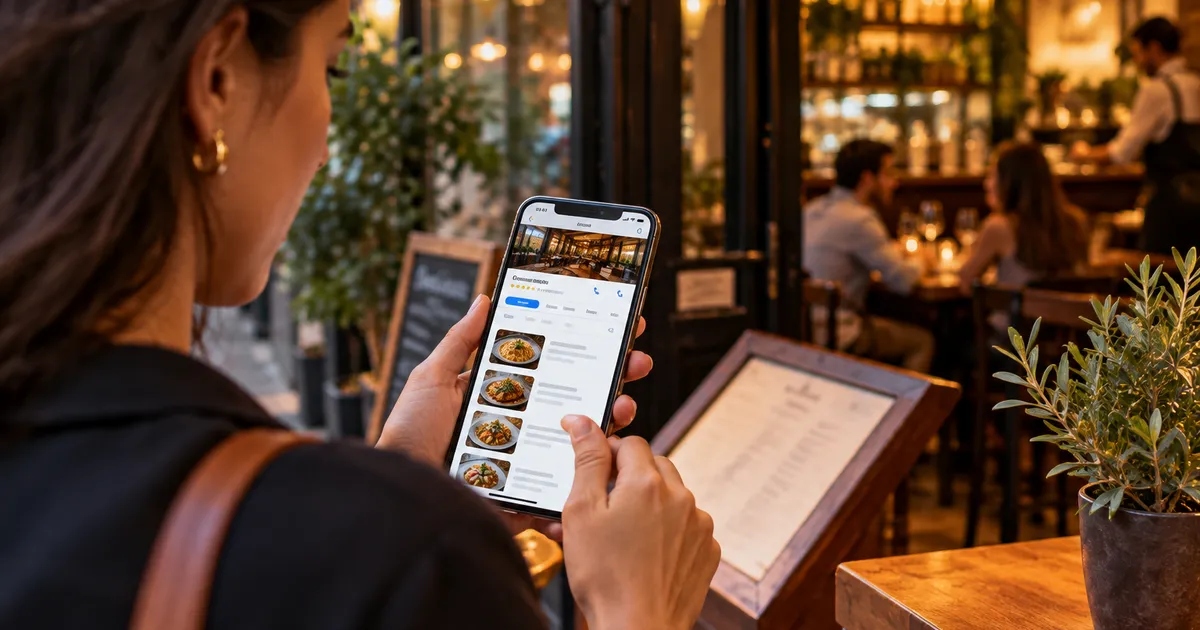
They find your name, check a few photos, look at the opening hours, and then think: “Do they actually serve what I want to eat?”
If the menu is difficult to find, an important part of the decision is still unanswered.
For restaurants, the menu should not exist only inside the dining room. It should also be available where customers research before visiting — especially Google Search and Google Maps.
Google Business Profile lets restaurants manage menu items, sections, descriptions, prices, and a menu link. Google says menu-editor changes can take 24–48 hours to appear on Maps and Search. citeturn1search10
This guide explains the two main ways to put a restaurant menu on Google, when each approach makes sense, and how to avoid one of the most common operational problems: different menus in different places.
Why put your restaurant menu on Google?
Because many restaurant decisions happen before the customer walks through the door.
Think about searches such as:
- Italian restaurant near me
- burger restaurant downtown
- sushi near me
- restaurant with vegetarian options
- pizza near me
Once a customer finds an interesting option, they want quick answers:
Where is it? Is it open? How much does it cost? What is on the menu?
Business Profile brings many of those answers together.
An up-to-date menu helps customers confirm that your restaurant matches what they are looking for. It also reduces your dependence on old menu photos, forgotten PDFs, or third-party links that may contain outdated information.
This matters because Google can receive restaurant information from different sources. Recent Google Business Profile community reports include cases involving outdated menus and third-party menu data continuing to appear on restaurant profiles. citeturn0search0turn0search9
There are two ways to put a menu on Google
This distinction causes a lot of confusion.
1. Add the dishes directly to Google
Business Profile includes a menu editor for restaurants and other food-and-drink businesses.
You can create sections such as:
- Starters
- Main courses
- Burgers
- Pasta
- Desserts
- Drinks
Then add items with names, descriptions, and prices.
Google says restaurants can manage these items directly in Business Profile and that changes can take 24–48 hours to appear. citeturn1search10
This is useful when you want your key dishes managed directly inside Google’s ecosystem and you are comfortable maintaining that content there.
2. Add a link to your digital menu
You can also provide a menu URL in your Business Profile.
This is useful when the restaurant already maintains a complete digital menu on its own page.
Instead of entering the same dish into several systems, you can keep one central menu and point Google to it.
Google’s current documentation shows the menu URL under Edit profile → Business information → Contact → Menu link. citeturn1search10
This is where a digital menu such as Qrdapio can be useful: the menu address stays stable while you update dishes, descriptions, prices, and images in one place.
Which option is better?
For most restaurants, this does not need to be an either-or decision.
The bigger goal is to avoid duplicated and outdated information.
If you have a small menu and want to manage everything directly in Google, the menu editor may be enough.
If you want a complete menu page with your own presentation, images, categories, and centralized updates, a dedicated digital menu can be more convenient.
A practical model is:
Google = discovery
Your digital menu = complete menu source
Customers find your restaurant on Google and can reach the menu without hunting through Instagram or opening an old PDF.
Step by step: add your menu link to Google
Before you start, have the permanent public URL for your menu ready.
Avoid temporary links, URL shorteners, or an address you expect to replace next month.
1. Open your Business Profile
Open the Business Profile you manage and choose the correct location if you operate multiple restaurants.
2. Edit your business information
Open the profile editor and go to the business information area.
Google can change interface labels over time, but its current documentation places the menu link in the business information/contact area. citeturn1search10
3. Find the menu field
Look for Menu link or the equivalent option shown for your profile.
Paste the public URL of your digital menu.
4. Save and test it as a customer
Do not stop at checking whether the link opens.
Check whether it opens the correct menu, for the correct location, with the correct prices.
This matters when a business manages several locations and similar menu URLs.
What if Google already shows another menu?
This is one of the most frustrating situations.
You can add your correct menu and still see old information on the public profile.
Google may be receiving menu data from more than one source. Recent community reports describe old menu photos, third-party menus, and other outdated information continuing to appear. citeturn0search0turn0search9
So do not just add the new URL and forget about it.
Search for your restaurant as a customer and check:
- the menu link;
- menu photos;
- displayed prices;
- dish names;
- ordering providers;
- information from other locations.
If an old menu comes from a third party, you may need to correct the information at its source or contact Google support, depending on where the data originates.
Do not turn Google into another copy of your menu
A common setup looks like this:
- a PDF on the website;
- a menu inside Google;
- another menu on Instagram;
- a different version behind the table QR code;
- an old menu photo on Google Maps.
Five places. Five opportunities for mistakes.
Suppose a burger goes from $12 to $14.
You update the restaurant menu but forget the PDF.
Then you update Instagram but forget Google.
A week later, a customer shows the server the old price on their phone.
The problem is not just operational. Inconsistent information weakens trust.
Keep one source for the complete menu
A simpler structure is to maintain one primary menu and distribute its URL across your channels.
For example:
Qrdapio → official restaurant menu
Then use that address on:
- Google Business Profile;
- table QR codes;
- your website;
- Instagram;
- WhatsApp;
- printed materials;
- marketing campaigns.
When a dish changes, update it once.
The channels keep pointing to the same address.
That is one of the practical advantages of a digital menu: your QR code and links can stay the same while the content changes.
If you are starting from scratch, read our guide to creating a free digital menu.
Your Google menu still needs good content
Adding a menu to Google does not mean dumping every dish into a database.
Content quality still matters.
Avoid public names like:
Combo 07
when a customer has no way to understand what that means.
Prefer something like:
House burger with cheddar, bacon, and fries
The description should explain enough for someone to understand the dish.
And the price needs to be accurate.
Google’s menu editor supports sections, descriptions, and prices. citeturn1search10
If you want to improve the commercial side of the menu, read our guide to creating a restaurant menu that sells more.
Write dish names for customers, not staff
Your internal system might call a dish:
PF-042
That is useful operationally, but it does not help someone searching for food.
Use names that describe what the customer actually gets.
If your restaurant is known for a specialty, do not hide it behind a clever name that nobody understands.
The goal is not to write for an algorithm.
The goal is to make it easier for a person to recognize that your restaurant has what they are looking for.
Menu photos deserve attention too
Google allows restaurants to add menu photos or a menu PDF, and customers can also contribute photos. Google recommends keeping menu information accurate and dealing with obsolete menu photos when possible. citeturn1search10
That leads to a simple rule:
if a photo no longer represents what you serve, it can become a liability.
Do not keep a beautiful photo of a dish that disappeared from the menu just because it gets attention.
If the presentation changed, update the image.
If the entire menu changed, review old menu photos too.
What about local SEO?
Putting a menu on Google does not guarantee a top ranking for every local search.
Local visibility depends on multiple signals and how relevant the business is to a particular query.
But there is a difference between getting discovered and making the decision easy after discovery.
If someone finds your restaurant and can immediately see that you serve handmade pasta, vegetarian dishes, burgers, or the specialty you are known for, you remove a step from the decision process.
The menu is part of your restaurant’s local presence, not just a document that needs to exist somewhere online.
If you serve tourists, use your menu to remove another barrier
A tourist may find your restaurant on Google, open the menu, and then discover that they cannot understand the dish names or descriptions.
Discovery happened. Conversion can still stop there.
An English and Spanish version can remove that barrier.
This is especially useful for restaurants near hotels, tourist attractions, airports, and areas with international visitors.
For more on the topic, read our guide to serving foreign customers with a better menu and our article about multilingual digital menus for hotels.
Restaurant owner checklist
Before considering the setup finished, review:
- [ ] Your Business Profile is claimed and up to date.
- [ ] The menu link points to the correct location.
- [ ] The menu loads quickly on a phone.
- [ ] Dishes and prices are current.
- [ ] Categories are easy to understand.
- [ ] Descriptions explain dishes clearly.
- [ ] Photos represent the current dishes.
- [ ] Old PDFs are not still being promoted in your main channels.
- [ ] Instagram points to the correct menu.
- [ ] Table QR codes point to the same menu.
- [ ] English or Spanish is available when your audience needs it.
- [ ] Someone on the team owns the responsibility for menu updates.
That last question matters more than it looks.
An accurate menu does not happen automatically. Someone needs to own it.
How Qrdapio fits into this strategy
Qrdapio can act as the central menu page for a restaurant: organize categories, dishes, descriptions, and images in one place, then use the menu URL wherever customers look for information.
That can include the physical QR code in the restaurant and digital channels such as Google Business Profile.
When a price changes, you update the Qrdapio menu instead of generating a new QR code or rebuilding every link.
The technology is not the goal. The goal is reducing the number of places you need to keep synchronized.
Frequently asked questions
Can I put my digital menu link on Google?
Yes. Business Profile includes a menu-link field for eligible businesses. Google’s current documentation places it within the business information area. citeturn1search10
Do I have to enter every dish directly into Google?
Not necessarily. Google provides a menu editor for items and sections and also supports a menu URL. The better approach depends on how you want to manage the content.
How long does it take for a Google menu update to appear?
For changes made through the menu editor, Google says updates can take 24–48 hours to appear on Maps and Search. citeturn1search10
What should I do if Google shows an old menu?
Find out where the information is coming from. Check your menu, photos, and third-party providers. If the outdated content comes from a partner, you may need to correct it at the source or contact Google support.
Does having a menu on Google improve local SEO?
It is not a ranking guarantee. Its main value is providing useful, accurate information to people who have already found your business. That can make the decision easier and improve the quality of the customer experience.
Is a PDF better than a menu page?
For customers on phones, a responsive menu page is usually easier to browse than a PDF designed for print. The key is speed, readability, accurate information, and easy navigation.
Conclusion
Your restaurant does not only need to appear on Google.
It needs to answer the question customers ask immediately after finding you:
“What do you serve, and is that what I am looking for?”
An accurate menu helps answer it.
Keep one primary source for your menu, connect it to your Business Profile, review the information regularly, and remove outdated versions from the channels you control.
Do that well and Google becomes more than a listing with an address and phone number. It becomes a direct path into your restaurant menu.